Hey, I’m Darin
This is my hacker-style blog where I write about projects and technology pretty much solely. I was able to grab darin.sh so figured this would be a perfect choice for it. I basically live in terminals and have wrote an unfathomable amount of shell scripts so here we are. Enjoy the content. I’ll try to update at least monthly. Hopefully more often.
Engineering Manager, Team Lead, Software Engineer, Full Stack Developer, CTO, DevOps, Site Reliability Engineer, Server Administrator, AWS Architect, Database Administrator.. I’ve kinda done it all over the past ten years. Someone had to do it, and with a small team, that was me.
If you’re interested in seeing my professional portfolio and less techy posts you can check out: darinrandal.com. You’ll find all my various links and contact information over there.
How I got started
Script Kiddie Era
Back when I was around 12-13 years old, I would play Diablo II every day after school and on the weekends. It was my favorite game at the time. My parents actually got me into it. One of the more tedious tasks was actually launching the game, logging in with your credentials (they weren’t saved back then), choosing your character, and joining global chat. I wanted to find a way to automate this process. I stumbled upon a scripting language called AutoIt. It was beginner friendly and in no time I was able to make my own script that would do exactly that.
- Launch Diablo II:LoD with some parameters to skip the intro credits
- Wait until the game window appeared by checking window titles for the game name
- Pixel scan until the “Connect to Battle.net” button existed, click it
- Wait until the connection occurred and inputs are available by pixel scan
- Focus the account name input and fill my account name
- Focus the password input and fill my password name, click Login
- Move mouse to predefined spot where my character was, click Select button
- Wait a couple seconds and click “Join Global Chat”
It took many iterations of trial and error to get it all working, but I was in disbelief once it worked flawlessly. This script took out a hugely tedious part (in my adolescent mind) of playing my favorite game.
That was when something shifted in my brain. I just created a “bot” that I’ve always heard about, by just typing some characters into a .au3 file.
My insatible desire to learn and lack of responsibilities at that age was a match made in heaven. I would stay up until the sun’s rays started shining through my window scouring the AutoIt forums. I’d find some cool code snippets, read through it and understand how it worked and play around with modifying it for myself. I started making GUIs for my scripts. AutoIt made it dead simple to create simple forms or progress bars.
I had a problem though. At that age, my parents still had parental controls on my computer. Some of the AutoIt commands I wanted to use required elevated privileges. It wasn’t feasible to continue to ask them to input their password for each script I wanted to run as admin. Not to mention I absolutely despised parental controls anyway. I wanted them gone. An idea popped into my head. It’s normal for them to have to enter their password for me to install any games, so why not just “install a game” and use that elevated permission to create myself a new admin account? I used the AutoIT GUI to create a legitimate-looking installer for a legitimate-looking game. The ‘installer’ would pop up, notify you it needs elevated permissions, and when you clicked the next button Windows’ UAC would open to ask for the admin password. Now that my script is elevated I just ran a couple commands to make me a new admin account on the computer with my own password. I used that account to delete my parents admin account, made my limited account an admin, and deleted the ‘installer’ admin account and removed any evidence. Bingo. I just solved two problems with one and now I’m the sole admin on my computer. They did end up finding out eventually, but I was able to convince them I’m a big boy and if I can program something like that, they wanted to leave me with unfettered access to continue learning.
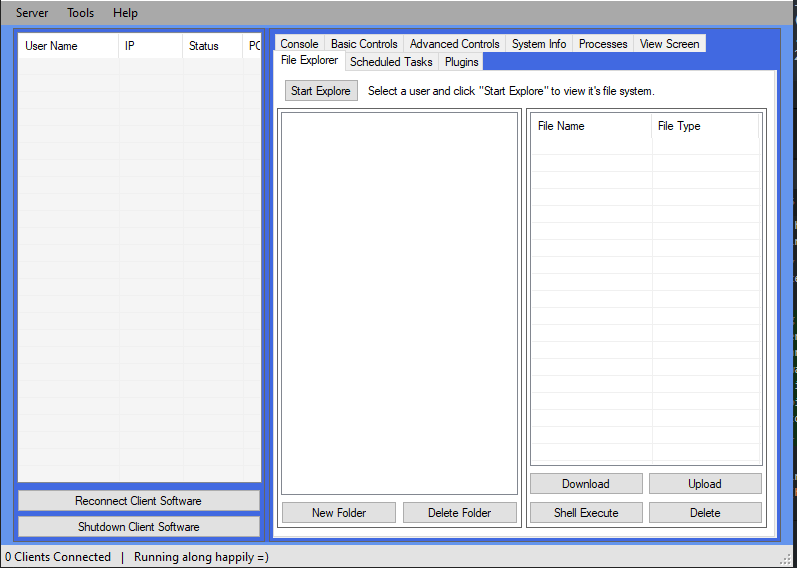
I continued making tons and tons of scripts. There were a couple more interesting ones like a remote administration tool. I created a client and server and had a (knowing) friend test it with me. It could capture screenshots of the client, log keystrokes, and execute commands. The client having my hardcoded IP address probably wasn’t the safest part if I ever wanted to actually do any evil with it. I didn’t, it was just a neat intro to networking and TCP. Another notable one was just a couple lines that instantly made your computer blue screen. My internet friends were not the most thrilled about testing that one for me.
Moving On From AutoIt
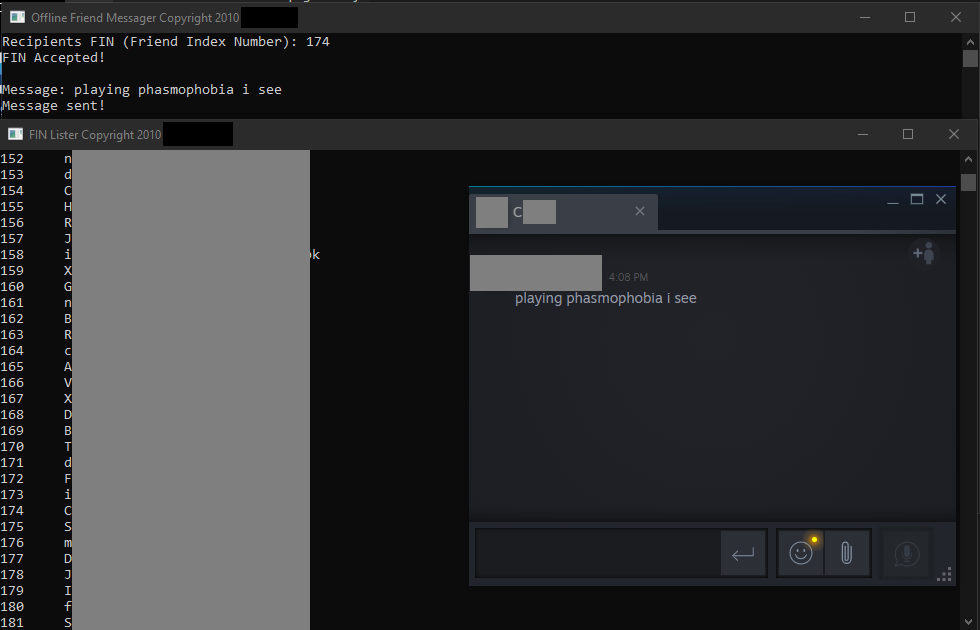
Down the road I started running into limitations. AutoIt was only capable of so much and that led me to going straight into the deep end: C++ and C#. When I stumbled upon a project called OpenSteamworks that a Steam friend of mine was working on, I was instantly sold. It essentially allowed you to do anything you could do with the Steam client, just programmatically. Unfortunately, this specific project was only designed for C++ originally and C# a bit later. My parents purchased a C++ for Dummies book for me and I got the work. Let me just say that when I thought I was a ‘programmer’ while writing AutoIt scripts, I was not. C++ was hugely difficult. Almost everything in AutoIt was a single function call with most actions heavily abstracted away from you. C++ is the opposite to that. Something that might take 4 lines in AutoIt was reaching 30 lines in C++. Some time goes by and I was able to start playing with OpenSteamworks. I was able to list all of my steam friends in a console and use their SteamID or Friend Index Number to send them a message, even if they were “offline,” something that was not supported in the Steam friends GUI. Oh yeah, and they still work to this day. 12 years later.
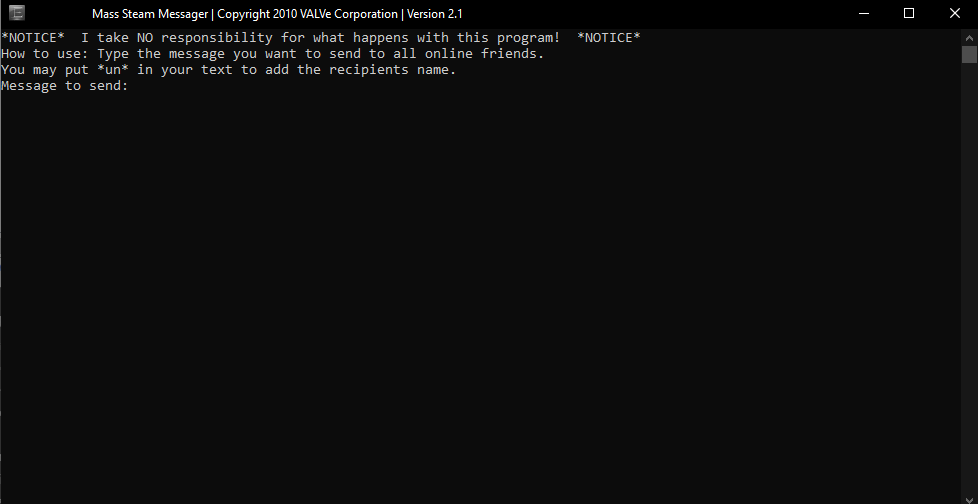
But what if I wanted to send a bunch of people a message like “hey, how have you been?” There’s an app for that too.
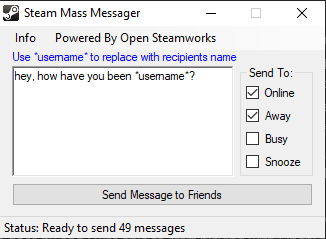
That worked well, but I wanted something a little more. Let’s try out C# since GUIs in C++ were difficult to say the least. I ended up with this beautiful little GUI with a lot more options!
Transition to Web
Most people don’t want to run a random .exe from someone, even if you’re friends with them. I can’t really blame them. This was the time when viruses were everywhere and everyone was running Avast, Norton, MalwareBytes or any number of the other antivirus software out there. I could always provide the source code, but my friends couldn’t run it without AutoIt installed or without a C++/C# compiler. It was a hard sell and I loved showing off what I had built.
Friends won’t run your exes anymore? Turn it into a website! That was basically what happened and how I got started with PHP and websites. Now, it’s not possible to do all the same things, but I could still build something wonderful and show it off with a link instead of an executable.
A friend of mine was somehow able to get .co.uk domains for free and 000webhost offered free website hosting. I picked up my very first domain and signed up with 000 and launched my first website. It was an extraordinarily basic PHP blog where I could login and manage my posts on it. The PHP documentation and stackoverflow at this point in time wasn’t really the best at emphasizing security. I didn’t know what SQL injection, cross-site scripting, or escaping HTML content was. But my website still worked. I was able to add, edit and delete my posts and they were protected behind a login page. Hurrah! You can probably see where this is going. I showed off my new website to a bunch of people, even posted it on the forums I was active on. Within a couple days the site was defaced and there was nothing left. Somehow, someone got access to it and turned it into a rickroll. That’s how I started to learn what security was and how easy it is to write vulnerable code. My site getting taken over happened probably another dozen or so times as I added additional functionality, fixed old vulnerabilities, and continued learning. Each time I dove deep into what happened, trying to figure out how they did it, and how to best prevent it from happening again.
Even if I was able to fix the vulnerabilities and learn from it, I was still upset. It was getting exceptionally annoying finding my site defaced over and over again. I wanted revenge. Using all my new found knowledge, I started trying to figure out who did it and seeing if I can get them back. Unfortunately, the main prepetrator of the majority of these exploits was a smart cookie. He was three years older than me and had the knowledge to go along with it. He had multiple websites too, but none vulnerable to anything I tried.
I probably shouldn’t go into too much detail here, but during this phase I spent a lot of time exploiting things that I shouldn’t have. It was exciting and fun. The difference was, when I would exploit someone’s site, I’d leave info on how I did it and how to fix it. I didn’t want someone to have to spend hours trying to determine what happened and more time determining how to fix it.